
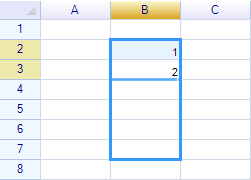
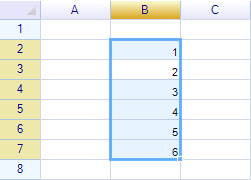
Drag the selection handle to automatically fill a data series:
Before:
After:
Demo:
Formula Reuse
If the original range contains a formula, the formula will be reused and all relative cell references in the formula will be updated automatically. For example:
Cell C2 contains the formula =B2*2. After filling the series, all new cells have formulas =B3*2, =B4*2, =B5*2, etc.
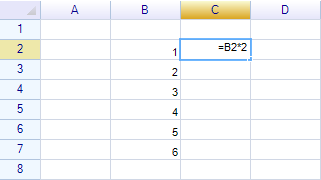
After:
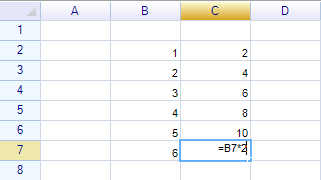
Demo:
Prevent formula reuse
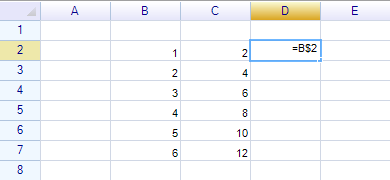
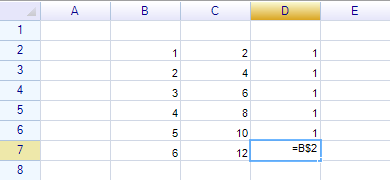
To prevent cell or range references from being updated during formula reuse, use absolute cell or range references, such as =$B$2 or =B$2. For example:
Fill direction
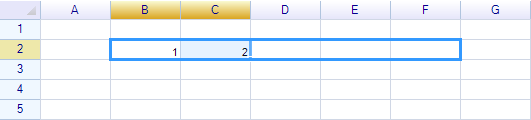
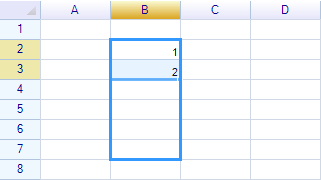
It is possible to fill in both horizontal and vertical directions.
Horizontal fill:
Vertical fill:
Multiple cells fill
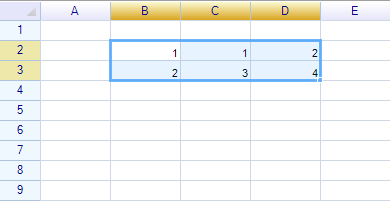
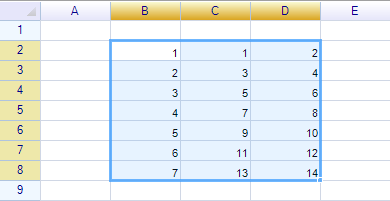
When a range contains multiple rows or columns, each row and column will be filled according to its own rules.
Before:
After:
Demo:
Fill serial by programming
Use the AutoFillSerial method of a worksheet to fill a specified range. A template range must be specified as the reference source. For example:
sheet.AutoFillSerial("B2:D3", "B4:D8")The above code fills the serial in B4:D8 by following the rules from B2:D3.