
Set cell type for a column programmatically
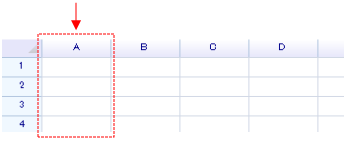
To specify a cell type for an entire column:
var header = worksheet.ColumnHeaders["A"];

// ColumnHeaders property returns an instance of a column header.
// It accepts a numeric index or an address string to locate a column.
header.DefaultCellBody = typeof(unvell.ReoGrid.CellTypes.CheckBoxCell);

// Center the column and give the check box a small padding (2 pixels)
worksheet.SetRangeStyles(new RangePosition(0, 0, worksheet.RowCount, 1), new WorksheetRangeStyle
{
    Flag = PlainStyleFlag.HorizontalAlign | PlainStyleFlag.Padding,
    HAlign = ReoGridHorAlign.Center,
    Padding = new PaddingValue(2),
});
Setting only the cell type will not cause any cells to appear; the cell body is displayed only when cell data is filled in.
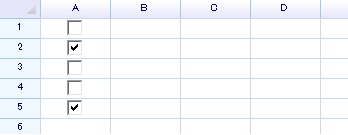
worksheet["A1:A5"] = new object[] { false, true, false, false, true };The check box cell accepts a boolean value as data, and the grid displays as shown below:
Set column type in the Editor
Select the entire column and right-click on the header, then select “Properties…”

Select “Progress” and press “OK”.

In the “C” column, enter some numbers, such as 30:

Press Enter; the cell will change to the progress type.
